
In 2024, 79% of total retail payments in Saudi Arabia were digital. At the same time, the market is scaling rapidly, with a projected size of USD 398.45 Million by 2030.
But growth isn’t the real challenge. Execution is.
Despite this expansion, potential sales are still lost, not because of weak demand, but due to slow checkout experiences and poor inventory tracking. These are not surface-level inefficiencies. They directly impact revenue, customer retention, and operational visibility.
A POS system fixes this. It connects transactions to inventory, sales trends to decision-making, and customer behavior to retention strategies. POS is no longer just a billing tool. It’s your key to a data-driven operational infrastructure.
This guide will explore how to use POS system for retail businesses in KSA in 2026, helping you move beyond transactions and build a system that supports scale, compliance, and smarter growth.
A modern retail POS system is a combination of hardware and software that processes transactions and manages your entire store operation at the same time.
Here are the key components of a POS system:
Now, let's understand how it fits into your broader business systems.
A POS handles what happens at the counter, like payments, receipts, discounts, and returns. An ERP is your business-wide backbone. It connects your purchasing, inventory, finance, HR, and CRM into one system.
The most powerful setup for a growing KSA retail or trading SME? A POS that connects natively to an ERP, so every sale automatically flows into your accounts, your stock records, and your compliance reports.

Also Read: ERP vs POS: A Decision Guide for Growing Saudi Businesses in 2026
Now, let’s look at how a POS system actually works in practice and how you can use it across your retail operations.
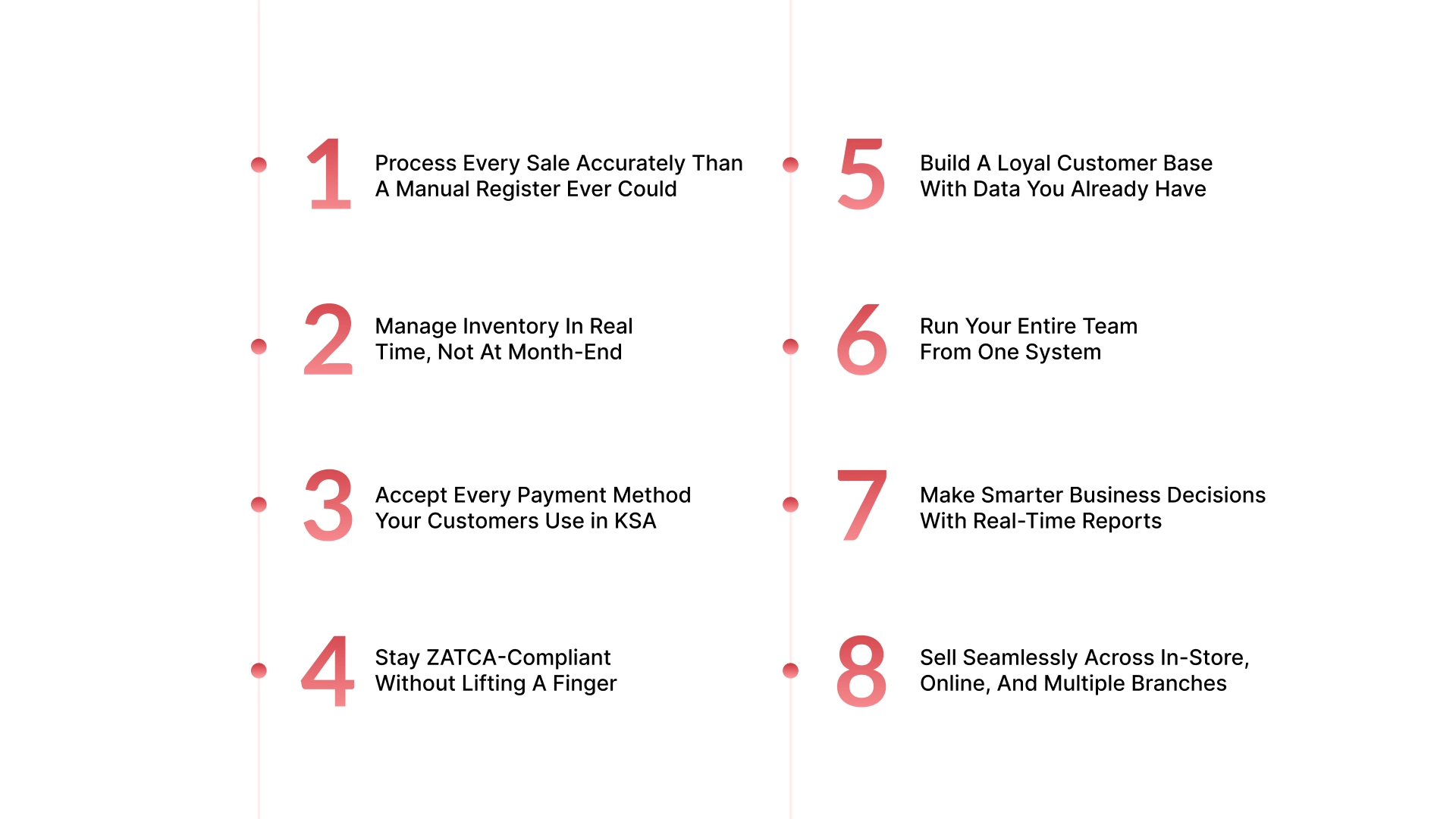
A POS system does much more than ring up sales. Here’s how to use POS system for retail businesses:
Long queues cost you sales. Slow checkouts frustrate customers. A retail POS fixes both.
Your cashier scans an item, the price and VAT populate automatically, the customer taps their Mada card or pays with STC Pay, and a ZATCA-compliant invoice is generated in seconds.
If a discount applies, the system applies it instantly. If a customer wants a digital receipt, it goes straight to their email. And here is where it gets powerful: every completed sale automatically reduces your stock count and records revenue in your accounts.
Stockouts and overstocking are two of the most expensive problems in retail. Both happen because of delayed information.
A POS system connected to your inventory module updates stock levels with every single sale, return, or exchange. When a product hits its reorder point, the system alerts you or automatically raises a purchase order. You stop discovering problems at month-end and start preventing them daily.
For SMEs managing multiple product lines, the POS also gives you visibility into your fast movers and dead stock. You can run an ABC analysis, ranking products by sales velocity, to make smarter purchasing decisions and free up cash tied up in slow inventory.
And for retail businesses with multiple branches? Every location's stock is visible from one dashboard, in real time.
Your customers pay in different ways. Your POS should keep up. A modern retail POS in KSA handles:
Every payment type posts automatically to your finance module. Your end-of-day reconciliation becomes a quick check, not a two-hour process.
This is one of the most business-critical functions a POS system can perform for KSA retailers in 2026.
ZATCA Phase 2 e-invoicing requires every B2B transaction to generate a cryptographically signed electronic invoice and transmit it to the Fatoorah portal in real time. For high-volume retail businesses, doing this manually is impossible.
A POS system with built-in ZATCA integration handles the entire process at the point of sale:
Your accounts team gets clean, ready-to-file VAT reports at the end of every period. No manual data entry. No compliance gaps.
Every sale is an opportunity to learn something about your customer. Most retailers let that information disappear.
A retail POS captures customer data at checkout, including contact details, purchase history, preferred payment method, and average basket size. Over time, this becomes a CRM profile that your team can actually use.
With this data, you can:
For retail SMEs that also serve business accounts, trading customers, and contractors buying supplies, this CRM function helps your sales team track account history and identify upsell opportunities without digging through paperwork.
Managing staff manually, tracking hours on a sheet, calculating commission by hand, and chasing down supervisor approvals wastes management time and creates errors.
A POS system with employee management tools gives you:
That last point matters more than most retailers realize. Internal shrinkage, like theft and errors by staff are one of the leading causes of inventory discrepancies. A POS audit trail makes it easy to spot patterns and address them before they become costly.
Gut feel is not a business strategy. But most retail SMEs do not have easy access to the data they need to make fact-based decisions.
A POS system generates reports that answer the questions your business actually needs answered:
When your POS is connected to your ERP, these insights feed directly into your business dashboards. You get a single, real-time view of your entire operation. No more waiting for someone to build a report.
This is where a well-integrated POS system becomes a genuine growth engine.
If you sell both in-store and online, your POS should reflect the same inventory in both places, in real time. When a customer buys the last unit online, your store staff should not be able to sell it at the counter five minutes later. That kind of disconnect costs you customers and creates a returns nightmare.
A unified POS also supports:
Every channel's sales, online, in-store, and across branches, consolidate into one financial view in your ERP. No more reconciling three separate systems at month-end.
These use cases show how a POS drives day-to-day operations, but why has it become essential for every retail business in KSA right now?

The KSA retail market is moving fast. If you are still running on a cash register, a shared spreadsheet, or a disconnected accounting app, you are not just inefficient. You may already be non-compliant.
Here is what is driving the urgency for retail SMEs in 2026:
ZATCA's Phase 2 e-invoicing, enforced since 2023 in waves, requires POS systems to generate XML/PDF-A3 invoices with QR codes, cryptographic stamps, and API integration to ZATCA servers for B2B clearance and B2C reporting.
Non-compliant manual systems risk penalties, making ZATCA-approved POS essential for all VAT-registered retailers (annual revenue over SAR 375,000). This ensures accurate VAT handling and secure data storage.
Saudi Vision 2030 targets 70% cashless retail by 2030, with digital payments growing 47% YoY in 2024 and cash usage dropping to 21%. POS terminals support cards, mobile wallets, and contactless methods, aligning with public sector digital shifts by 2025.
Modern POS automates billing, inventory tracking, and multi-location management in real-time via cloud tech, reducing errors and stockouts. Features like CRM, analytics, and reporting provide sales insights for data-driven decisions. This boosts checkout speed, customer loyalty, and scalability for growing retail chains.
If you do not have a POS system today, you are likely dealing with:
These are not small inconveniences. They are operational blind spots that cost you money every week.
Which is why choosing the right type of POS system is just as important. Not every solution fits every business.
Not every POS system is built the same, and not every business has the same needs. Before you choose, it helps to understand what is actually available.
Also Read: ERP with POS Integration: Benefits and Process
For KSA retail SMEs that have outgrown basic tools and need POS, ERP, and ZATCA compliance to work as one connected system, HAL is built for exactly this profile, combining retail POS with a full ERP suite designed for the KSA market.
Running a retail business in KSA in 2026 means managing more moving parts than ever. VAT compliance, multi-location operations, real-time inventory, customer loyalty, and staff management.
HAL brings all of these functions into one platform, built specifically for KSA SMEs in retail, trading, contracting, and services.
Here is what we deliver for retail businesses:
HAL is not a generic retail tool adapted for KSA. It was built for this market, with the compliance requirements, business structures, and operational complexity that KSA retail SMEs actually face.
To see how this works in a real-world scenario, let’s look at how a growing retail business in KSA transformed its operations using an integrated POS and ERP system.
Coastline LLC, based in King Abdullah Economic City (KAEC), operates coffee shops, retail outlets, and leisure services across 17 locations. Before HAL, they were running multiple disconnected POS systems with no unified reporting.
Coastline partnered with HAL ERP to integrate its Foodics POS across all 17 stores into one unified system. HAL automated the entire data flow from POS to ERP, eliminating manual entry entirely. ZATCA compliance was handled through HAL's built-in portal integration, managing cryptographic stamps, QR code generation, and XML processing automatically.
The results:
Coastline went from month-long data delays to instant visibility across every location.
Understanding how to use POS system for retail businesses goes beyond processing transactions. It’s about turning every sale into structured, real-time data that automatically updates inventory levels, financial records, and compliance reports.
This is exactly what the eight approaches in this guide highlight that is how to use POS system for retail to eliminate manual work, reduce errors, and create a more connected operation where your team can focus on customers instead of spreadsheets.
If you are a retail, trading, or contracting SME in KSA looking for a POS that does more than process payments, HAL gives you a complete, ZATCA-compliant system that connects your front counter to your entire business operation, without the complexity of managing multiple tools.
Get in touch with the HAL team today for a free consultation and a quote tailored to your business.
The right choice depends on your needs. In KSA, prioritize ZATCA compliance, Arabic interface, ERP integration, and local support. For SMEs needing an all-in-one, compliance-ready solution, HAL Simplify stands out as a purpose-built platform designed to unify retail operations, ensure seamless ZATCA compliance, and support scalable business growth.
Yes, a POS or compliant e-invoicing system is essential for ZATCA compliance. Businesses must generate electronic invoices with required fields and QR codes and report them correctly. A POS system ensures retail transactions meet these requirements efficiently and reduces compliance risk.
A POS system manages front-end retail operations like billing and payments, while an ERP system handles back-end processes such as accounting, procurement, and HR. Integrating both ensures seamless data flow, giving businesses complete visibility across sales, inventory, and financial operations.
Yes, many POS systems offer offline functionality, allowing businesses to continue billing and recording transactions without internet access. The data is stored locally and synced later. However, internet connectivity is required eventually to meet ZATCA reporting and compliance requirements.
If your POS is integrated with an ERP, you do not need a separate accounting tool. Every sale, return, and payment automatically posts to your general ledger, generating profit and loss statements, VAT reports, and cash flow summaries without manual input. If your POS is standalone, you will need a separate accounting system — and manual reconciliation between the two.
Yes, provided the POS system is built for multi-location operations. You can manage pricing, inventory, promotions, and staff across all branches from one central dashboard. Each branch's sales data consolidates into unified financial reporting, so you always see your full business picture — not branch-by-branch fragments.